
Club administrators can run a Handicap Review for their club in the USGA Admin Portal by following these four steps:
Clubwide Review
-
Log in to adminportal.usga.org using your credentials.
-
Click the Handicap Review tab.

-
Click the New Handicap Review button.

-
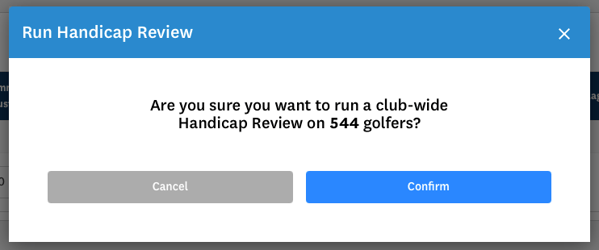
Click the Confirm button to initiate the review.
For more information, see the USGA Handicap Review Tool User Guide.